

1
/
of
1
My Store
McAfee + Premium Family, Unlimited Devices, 1-Year Subscription with Auto-Renewal (E-delivery)39.99
McAfee + Premium Family, Unlimited Devices, 1-Year Subscription with Auto-Renewal (E-delivery)39.99
Regular price
£27.17 GBP
Regular price
£37.74 GBP
Sale price
£27.17 GBP
Taxes included.
Shipping calculated at checkout.
Quantity
Couldn't load pickup availability
When you purchase this item, an electronic code will be emailed to you by Codes2Go, normally within 1 hour after completing your purchase. However, in some instances, additional processing time may be required.
If you have a spam filter on your email, please add to your white list: [email protected] to avoid emails going to your junk folder.
Please ensure to provide the correct email address when placing your order.
Features:
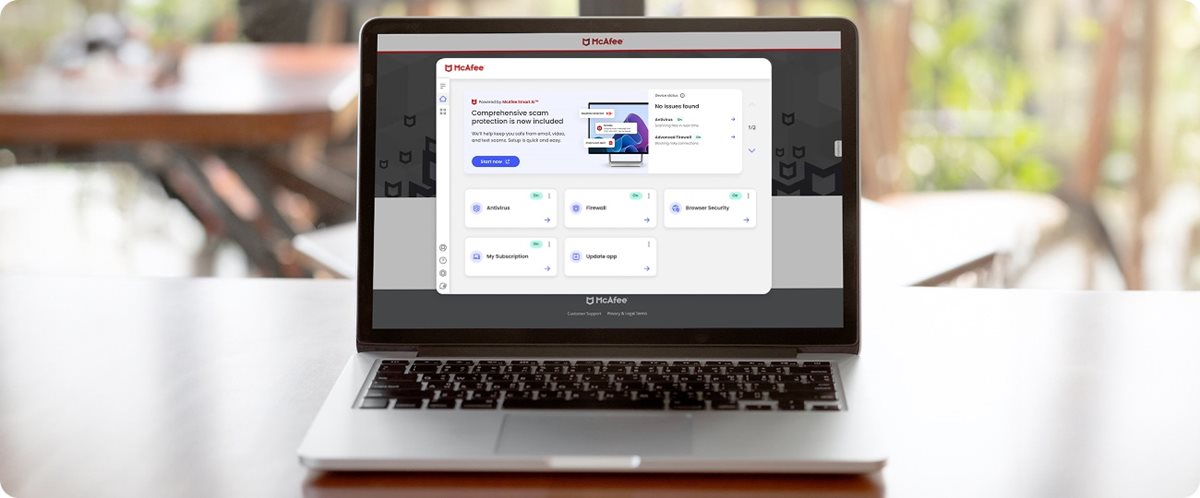







 2:22
2:22
System requirements:
*Subscription and Auto-Renewal Notice: Subscription automatically renews annually to provide hassle-free protection. A payment method is required to complete activation, but don't worry, you won't be charged at that time. You will be charged 30 days before the subscription ends and annually thereafter at the renewal price applicable. We will remind you 30 days before you are charged. You can cancel any time from your 'My Account' page by logging in to mcafee.com.
If you have a spam filter on your email, please add to your white list: [email protected] to avoid emails going to your junk folder.
Please ensure to provide the correct email address when placing your order.
Features:
- McAfee+ Premium for unlimited devices
- Scam Detector automatically identifies texts, emails, and video scams, so you know whether that message or video is real
- Take control of your digital identity with identity monitoring and personal data scans
- Browse safely and securely with safe browsing and Secure VPN
Product details have been supplied by the Manufacturer, and are hosted by a third party.

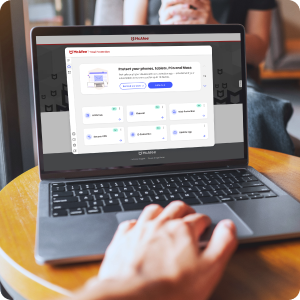

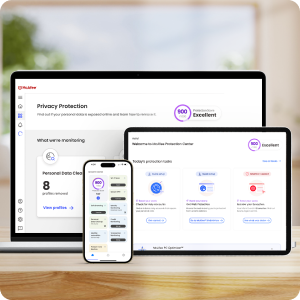

Advanced Privacy Protection
Keep your personal info private on public Wi-Fi with Secure VPN, and take back your data from sites that sell it with Personal Data CleanupIdentity and Financial Protection‡
Secure your finances and data from identity theft with 24/7 monitoring and timely alertsAI-Powered Antivirus* and Scam Protection
Get real-time protection against viruses, hackers, and email, text, and video scams with McAfee's advanced technology.Protection for Your Whole Family
Enjoy personalized protection tailored to the needs of your family. McAfee+ Dashboard
Parental Controls
Monitor usage, set limits, and even keep tabs on kids' whereabouts to help kids build healthy digital habits Secure VPN
Keeps your personal info safe anywhere you use public Wi-Fi, so you can confidently shop, bank, stream and download. Set your VPN to turn on automatically so you can stay invisible from hackers and prying eyes. Identity Monitoring‡
Provides 24/7 monitoring and alerts you if your personal information is found on the dark web, where your identity and financial data can be used by hackers. Online Account Cleanup
From email accounts to memberships – we scan your old accounts and alert you if they're still holding onto your personal info so you can remove it. Scam Detector
We’ll automatically identify text, email and video scams, so you know whether that message or video is real. Personal Data Cleanup
Alerts you when your personal info is found online and helps you remove it so you can get your data back from sites that sell it. Social Privacy Manager
We’ll help adjust over 100 social media privacy settings in just a few clicks, so your personal info is only visible to whomever you want to share it with. Parental Controls
Monitor usage, set limits, and even keep tabs on kids' whereabouts to help kids build healthy digital habits Secure VPN
Keeps your personal info safe anywhere you use public Wi-Fi, so you can confidently shop, bank, stream and download. Set your VPN to turn on automatically so you can stay invisible from hackers and prying eyes. Identity Monitoring‡
Provides 24/7 monitoring and alerts you if your personal information is found on the dark web, where your identity and financial data can be used by hackers. Online Account Cleanup
From email accounts to memberships – we scan your old accounts and alert you if they're still holding onto your personal info so you can remove it. Scam Detector
We’ll automatically identify text, email and video scams, so you know whether that message or video is real. Personal Data Cleanup
Alerts you when your personal info is found online and helps you remove it so you can get your data back from sites that sell it. Social Privacy Manager
We’ll help adjust over 100 social media privacy settings in just a few clicks, so your personal info is only visible to whomever you want to share it with. Parental Controls
Monitor usage, set limits, and even keep tabs on kids' whereabouts to help kids build healthy digital habits
The McAfee Protection Guarantee


30-Day Money-Back Guarantee
for peace of mind with a risk-free option to try any planPersonalized Protection
to meet the individualized needs of you and your familyAI-Powered Technology
for real-time protection against new and evolving threats24/7 Customer Assistance
with around-the-clock support and troubleshootingHow to activate and install your McAfee protection
2:22 How to install McAfee video
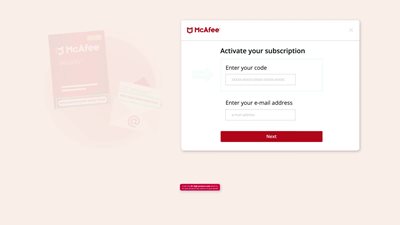
1. Type www.mcafee.com/activate in the top search window of your browser.
2. Enter the activation code and your email address. If you purchased a digital download product, you'll receive an email with your activation code.
3. Follow the onscreen instructions to download and install your McAfee protection.
FAQs
Is this the latest version?
Yes, regardless of what version you purchase. When you download and install your McAfee protection you'll receive the latest version. McAfee products come with automatic updates that ensure you are always protected with the latest security patches and enhancements, keeping your devices safe from emerging threats.
How do I install a digital download product?
After you complete your purchase you'll receive an email with your activation code. Visit www.mcafee.com/activate and enter your activation code and email address. Then simply follow the steps on your screen.
When does the subscription begin?
Your McAfee begins upon activation, ensuring that your devices are protected right from the start. Your subscription is activated when you visit www.mcafee.com/activate and enter your activation code and your email address then click next.
What are the system requirements?
X64 processors: Microsoft Windows 11 and Windows 10 (RS5) and newer, ARM64 processors: Microsoft Windows 11 and newer; Build 4.11.1 or higher: macOS 10.15 and above; Build 4.9.1: macOS 10.12 - 10.14; Google Android smartphones and tablets 8 or higher; Apple iOS 13 or later; ChromeOS 102.0.5005 and higher
What is the difference between paid and free antivirus?
Usually, free antivirus software offers baseline malware protection that may not be sufficient to combat the ever-evolving threat landscape. This is particularly true when it comes to the wide variety of zero-day threats and digital threats that go beyond just antivirus. Some features may be limited in use – even worse, some free programs can even gather your personal data in exchange for their services. On the other hand, paid antivirus subscriptions give you up-to-date, advanced security protection against a wide variety of malware and digital threats. Paid solutions also tend to come with richer features and services. For example, McAfee® Total Protection includes identity protection and a VPN to protect your personal info. Rest assured that with our free 30-day trial you’ll get all the features of our flagship product, including antivirus, web protection, password manager, and more. Take advantage of our free trial and gain greater peace of mind every time you use your devices.
How does an antivirus detect emerging malware and threats?
Security tools of the past relied on manually gathering malware definitions (the different types of malicious software that had been found in the wild, like viruses, ransomware and spyware). As threats have advanced in nature and complexity, industry-leading antivirus software like McAfee Total Protection, also quickly developed to stay ahead of cybercriminals. At McAfee, we use strategies like behavioral detection and machine learning to ensure we can detect, isolate, and eliminate all recognized malware and even zero-day digital threats (brand new threats that haven't been seen before) to keep you safe online
Can McAfee protect me from identity theft?
Yes, McAfee's plans include features that help protect you from identity theft by helping secure your personal information to prevent unauthorized access to your online accounts.
Can McAfee protect my data from ransomware attacks?
Yes, McAfee's security solutions employ advanced technology to detect and block ransomware, to help safeguard your devices and valuable data.
Specifications
| *Virus Protection Pledge (VPP) | |
|---|---|
| *Virus Protection Pledge (VPP) | If we cannot remove a virus from your supported device we’ll refund you the amount you paid for your current term subscription. The refund does not apply to any damage or loss caused by a virus. You are responsible for backing up your data to prevent data loss. See terms here: mcafee.com/pledge. Must be enrolled in auto-renewal. |
| ‡Additional Terms Specific to Identity Monitoring Service | Not all identity monitoring elements are available in all countries. See License Agreement for more information.
Some features may require registration and a valid ID number to activate.
See documentation for additional information.
While McAfee provides you tools and resources to protect yourself from identity theft, no identity can be completely secure.
US Only: Fair Credit Reporting Act: You have numerous rights under the FCRA, including the right to dispute inaccurate information in your credit report(s). Consumer reporting agencies are required to investigate and respond to your dispute but are not obligated to change or remove accurate information that is reported in compliance with applicable law. While some plans can provide you assistance in filing a dispute, the FCRA allows you to file a dispute for free with a consumer reporting agency without the assistance of a third party. Identity theft coverage is not available in New York due to regulatory requirements. For more details about identity theft coverage, please see the McAfee website. |
System requirements:
- X64 processors: Microsoft Windows 11 and Windows 10 (RS5) and newer
- ARM64 processors: Microsoft Windows 11 and newer
- Build 4.23 or higher: macOS 11.x and above
- Google Android smartphones and tablets 10 or higher
- Apple iOS 16 or later
- ChromeOS 102.0.5005 and higher
*Subscription and Auto-Renewal Notice: Subscription automatically renews annually to provide hassle-free protection. A payment method is required to complete activation, but don't worry, you won't be charged at that time. You will be charged 30 days before the subscription ends and annually thereafter at the renewal price applicable. We will remind you 30 days before you are charged. You can cancel any time from your 'My Account' page by logging in to mcafee.com.
Share
